The time of Fajr in Bordeaux varies according to the season, but also according to the astronomical calculation method used by your mobile application. Two smartphones placed side by side can display different times for the same dawn prayer. The reason lies in a specific technical parameter: the solar depression angle below the horizon.
Solar depression angle: the parameter that changes the time of Fajr
Fajr corresponds to the moment when the first light of dawn appears. To calculate it, applications measure the position of the sun below the horizon line, expressed in degrees. Three conventions coexist in France: 18°, 15°, and 12°.
An angle of 18° places Fajr earlier in the night, when the sky is still very dark. An angle of 12° shifts it later, closer to sunrise. In Bordeaux, during summer, this difference can represent several tens of minutes between two applications configured differently.
To easily find the Fajr prayer time in Bordeaux with the correct settings, the choice of calculation method in your application remains the first parameter to check.
Most French-speaking mosques now follow the UOIF/CTMF convention, which retains an angle of about 12° for Fajr and Isha. This choice, adapted to French latitudes, produces significantly different times from those calculated using the method of the Islamic Society of North America or that of the University of Karachi.
UOIF/CTMF method and settings on Android or iPhone
When an application displays a Fajr time that does not correspond to that of your local mosque, the problem rarely comes from geolocation. The setting of the calculation method is the primary cause of discrepancy.
On the most used applications (Muslim Pro, Mawaqit, IslamicFinder, Athan), the method can be modified in the advanced settings. Here’s how to proceed generally:
- Open the application settings, then look for the section “calculation method” or “convention”
- Select UOIF, CTMF, or “France” if the option is available, which applies a 12° angle for Fajr
- Check that the geolocation points correctly to Bordeaux (and not to a neighboring city or an old registered location)
- Compare the obtained time with that displayed by your local mosque or by the Mawaqit application, which directly synchronizes the times validated by each mosque
Once this setting is made, the displayed Fajr time will correspond to what is practiced locally. Without this step, the application may remain on a default method (often 18°) that does not reflect the convention followed in Bordeaux.
Mawaqit: direct synchronization with mosques in Bordeaux
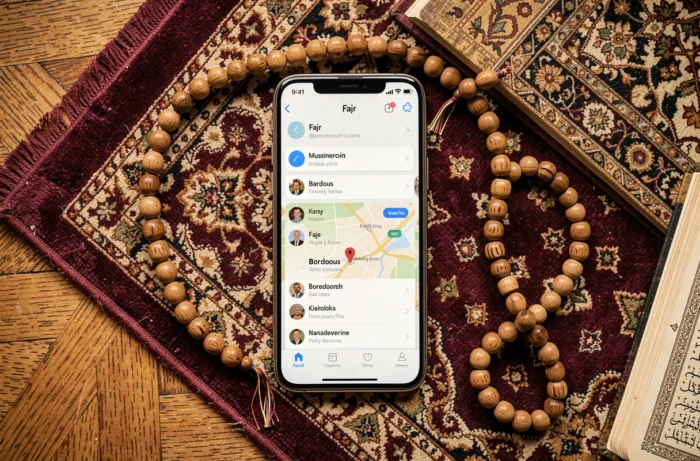
Mawaqit works differently from other prayer applications. Instead of calculating times from a generic astronomical formula, it directly retrieves the times entered by each partner mosque.
For a practitioner in Bordeaux, this means that the Fajr time displayed in Mawaqit corresponds to what the mosque has chosen to apply, with its own adjustments (caution offset, seasonal change). This approach eliminates the problem of divergence between calculation methods.
Mawaqit displays the exact time validated by the mosque, not a theoretical calculation. The application is available for free on Android and iPhone. Just search for your neighborhood mosque in Bordeaux to access its complete calendar.
Fajr notifications and alarms: setting a reliable alert
Receiving the correct time is not always enough. Fajr often occurs very early, especially in summer, and a silent notification may go unnoticed. Configuring the alarm deserves some checks on your smartphone.
On Android, the “Do Not Disturb” and “Battery Saver” modes can block notifications from prayer applications. To ensure that the Fajr alert rings, you need to add the application to the exceptions list in the battery settings and allow it to bypass silent mode.
On iPhone, the situation is similar. The Focus settings introduced in iOS can cut off alerts during the night. Adding the prayer application to the “allowed apps” in Sleep mode allows the Fajr notification to come through nonetheless.
Muslim Pro and Athan offer an adhan (call to prayer) as a notification sound. Mawaqit sends a push notification related to the selected mosque. In all three cases, the phone’s notification volume must be sufficiently high, regardless of the media volume.
Monthly Fajr calendar in Bordeaux: anticipating seasonal variations
The time of Fajr in Bordeaux fluctuates significantly throughout the year. In winter, the dawn prayer occurs at a reasonable hour in the morning. In summer, it shifts very early, sometimes before the actual sunrise for those using an 18° method.
Several applications offer a downloadable monthly calendar in PDF. IslamicFinder and Muslim Pro allow exporting or viewing a complete table with the times of all prayers for the current month in Bordeaux. This calendar can be printed or saved in the phone’s Files app for offline consultation.
Mawaqit also displays a monthly calendar in its section dedicated to each mosque. The web version of the site works on any mobile browser if you prefer not to install an additional application.
The key point for reliable tracking throughout the year: choosing a single source and sticking to it avoids confusion between methods. If your mosque in Bordeaux uses Mawaqit, align your application with it. If it communicates its times through another channel, check which calculation convention it applies and replicate this setting on your phone.